Start editing content
Run docusaurus locally on your computer
When visual studio already configured, you need to run project locally. To run docusaurus, at terminal you should write:
npm start
Project will compile and it opens in new browser tab, usually the url will be someting like:
http://localhost:3000/vecticum-docusaurus/
Edit or create new content
On every "Save" docusaurus recompiles itself to show your latest changes. Page will load as usual. Sometimes you will get errors. When you fix the error, sometimes you need to refresh your browser page manually (by pressing F5) to make sure that latest changes are loaded.
File naming
To sort instructions in custom order, number at the beginning should be given. Docusaurus sorts document in alphabet order, so add a number to file, for example 00010000 or 00000100 and so on. Initial numeration starts as 00001000, 00002000, 00003000, ... . For now, ordering number should contain 8 digits.
You will find examples immediately after you enter Visual Studio Code.
Error handling
Errors usually looks like this:
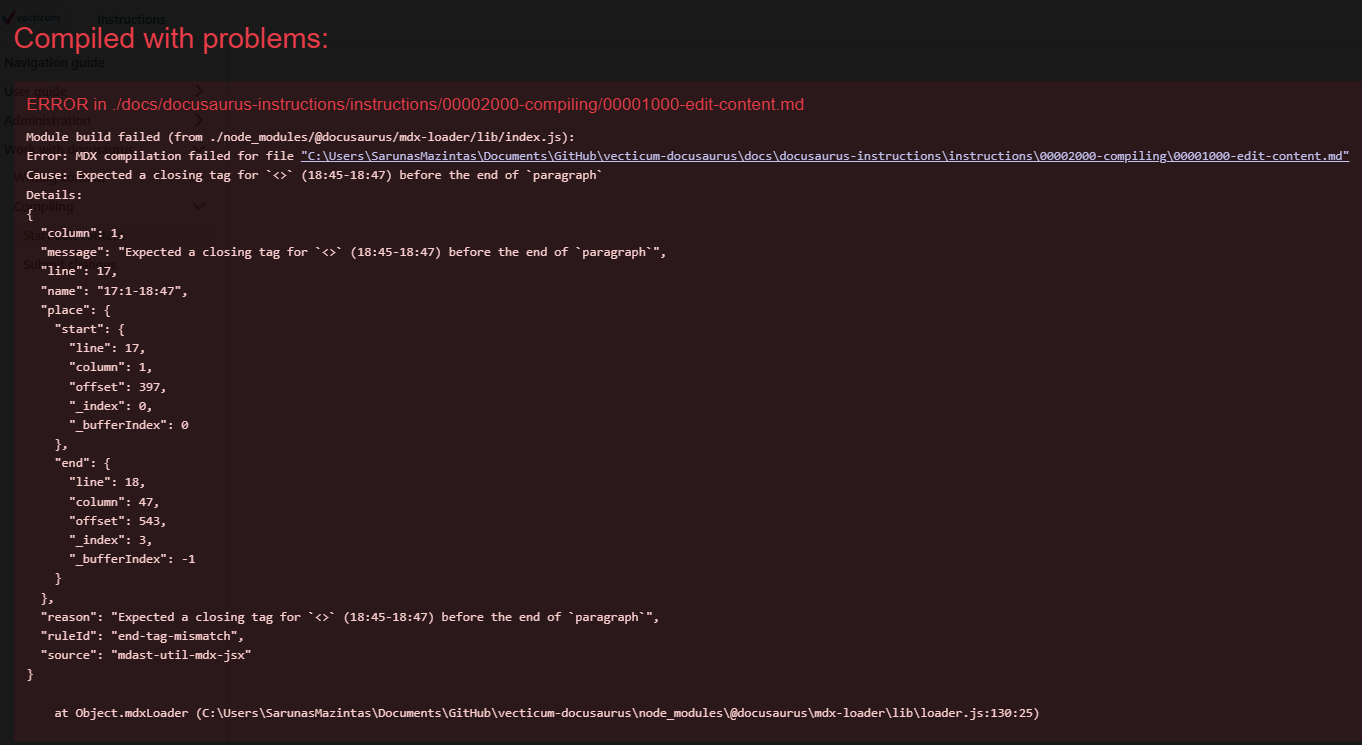
This error informs us that we made some changes that Docusaurus unable to understand. This error shows that symbols <> is found. You can fix this problem by escaping sensitive symbols.
Usually you will see these errors:
- Sensitive symbols wasn't escaped
- Image wasn't found
- Links are broken
- to be continued...