Submit changes
When you finished editing documents, it is needed to upload it to server.
Only thing you need to do is commit your changes to Git.
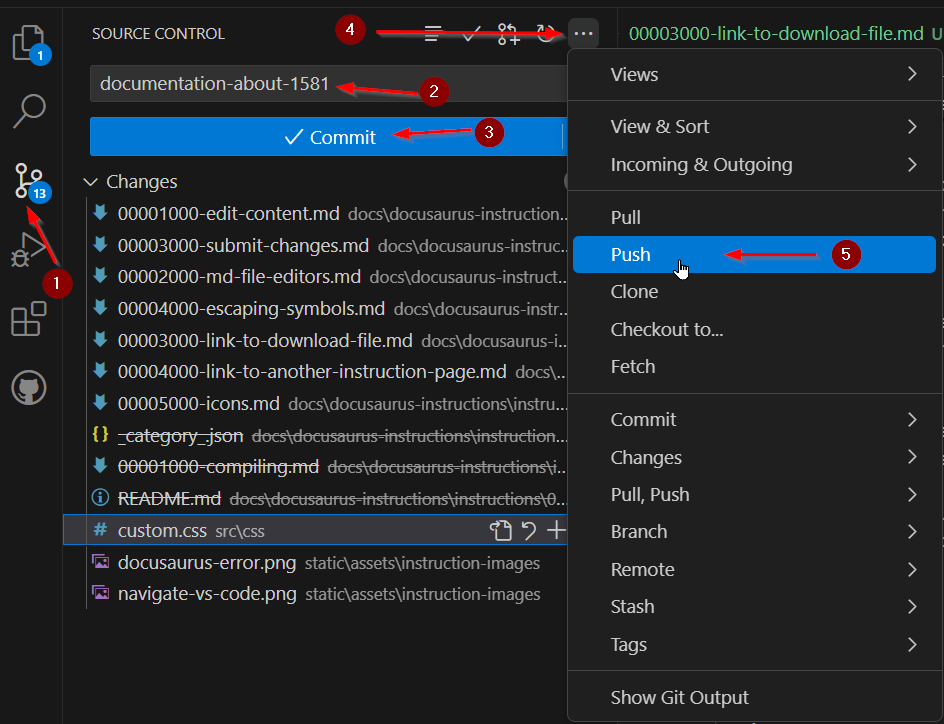
- Open "Source Control" in the left menu
- Give a name for your changes
- Push "Commit"
- Select menu of sourcle control by pushing button "..."
- Push changes
Congratulations! You made changes! After few minutes you will be able to see those changes in server page. If you don't see any changes you made, read next article:
Errors at GitHub